


Taptap Send: Money Transfer
4.713.94K Reviews
App Specs
- Version
- 2.101.0
- Updated On
- License
- Free
- Downloads
- 10,000,000+
- Developer
- Taptap Send, Inc.
- Categories
- Finance
- Platform
- Android, iOS
Screenshots

 Analysis by AppCompare
When I judge an international transfer app, I care about more than how quickly I can tap through a payment. I want to know whether the recipient details are easy to check, whether I can see the cost before committing, and what I should do if timing matters. Taptap Send is built for sending money across borders, and its appeal is clearest when you regularly support someone in a destination it serves rather than when you need a general-purpose banking app.
What a quick transfer really depends on
The app presents sending as a short process, but I would separate a quick setup from a guaranteed arrival time. Choosing a recipient and entering an amount may feel straightforward; the transfer itself still depends on the destination and the details of the transaction. If the money is needed for a bill today, I would check the displayed delivery information in the app before sending rather than assume every transfer moves at the same pace.
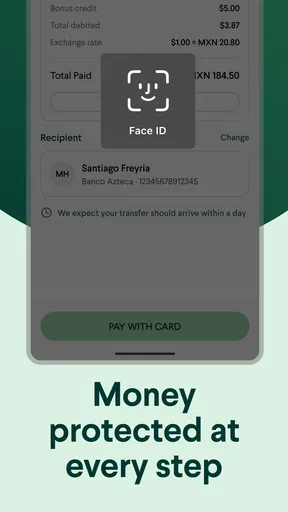
That small pause is useful even when you have sent money before. Confirm the recipient and amount, review the exchange rate and any fee shown, then check the final amount the other person is expected to receive. A good routine is to compare those details with your previous transfer to the same person. It helps catch an accidental change in recipient or amount before you commit.
Useful for recurring support, less suited to every payment
I see the strongest fit for people who send money to relatives or friends in Asia, Africa, or Latin America and want a dedicated transfer flow. For example, if I regularly help a family member with household expenses, I can treat the recipient details and the amount as a deliberate check-in rather than trying to squeeze an international payment into a local banking app that was not built around that task.
For occasional users, the value depends more on the destination and the quote for that specific transfer. I would not install it on the assumption that one provider is always cheapest or fastest. Compare the amount the recipient gets, not just a headline fee: an exchange-rate difference can affect the final result too. If your bank or another service offers a better total for the route you need, using that instead may make more sense.
Keep a simple routine for busy days
A realistic use case is sending money during a lunch break because a relative needs help with a planned expense. I would avoid rushing through the last screen while distracted. First, confirm the right person; then check the amount in the sending currency and the amount due to arrive. If the transfer is time-sensitive, leave room for processing rather than treating the app’s convenient design as a promise that the funds will arrive instantly.
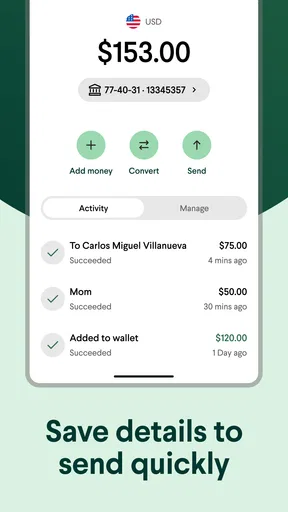
For repeat transfers, keeping a personal note of the date, amount, and recipient can help you recognize what you sent without relying on memory. It is also a practical way to spot a duplicate payment if you are interrupted mid-task. This is not a substitute for checking the app’s own transaction information, but it gives you a simple habit that reduces avoidable mistakes.
Worth Reading Before You Choose

Flipboard Shows What News Apps Must Do Beyond the Feed

Switching to Android Auto Means Rethinking Your Driving Routine

Google Calendar Makes a Crowded Week Easier to Manage

Ludo King Makes the Most of the Minutes Between Plans

Baby Panda World Brings Quick Play to Modern Phones, but Its Game Library Feels Busy

ESPN’s Live Game View Makes Following Close Games Easier
Fees, rates, and the real comparison
The original attraction is the chance to send at a low cost with a competitive rate, but the sensible comparison is always the complete offer shown before confirmation. A service that appears to charge little can still produce a less favorable amount after conversion; another may cost more upfront yet leave the recipient with more. I would compare the final receive amount for the same sending amount and destination, then decide whether convenience is worth any difference.
This also makes the app easier to use for budgeting. If I send a regular contribution, I can check the quote before each transfer instead of assuming last time’s conversion still applies. Rates can change, so an old mental estimate is not a reliable guide. When the amount is substantial for your budget, taking a moment to review the screen is more valuable than shaving a few seconds off the process.
Reliability, support, and what to do when plans change
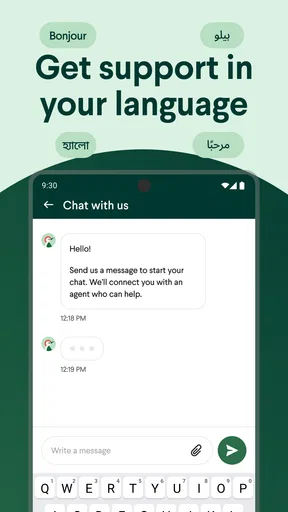
A financial app earns trust through clear steps and useful help when something goes wrong, not just through a smooth first transfer. Taptap Send is developed by Taptap Send, Inc., and its customer-support option is a useful part of the experience if a transfer raises a question. I would keep the relevant transaction information to hand when contacting support and explain plainly what you expected and what you see in the app.
If a payment seems delayed, resist the temptation to send it again immediately. Check the transaction status first; a second attempt could create confusion or result in an unintended duplicate. If the app indicates an issue, use its support channel for guidance. That is a safer recovery habit than guessing, especially when the recipient is depending on the money.
The app’s large audience offers some reassurance that it is an established service: it has more than 10 million installs and an average rating of 4.8 from around 307,000 ratings. Those figures are context, not a guarantee that every transfer will suit every person. I would still judge it by the route, quote, and delivery details in front of me, and by how comfortable I feel with the steps needed to resolve a problem.
Device fit and everyday usability
Because this is a money-transfer app, I would prioritize a device that I can access reliably and use without rushing. The current version is 2.82.0, and the stated minimum operating-system requirement is version 8.0. If your phone is older, check that it can run the app before planning around it; if you use a newer phone, the more important question is whether the app is available and works for your specific sending route.
I would also avoid making a transfer on a device or connection that feels unreliable. A screen that stalls or an interrupted session is not a good moment to guess whether a payment went through. Reopen the app and check the transaction information before trying again. This kind of careful recovery matters more for a financial transfer than it would for an ordinary shopping or social app.
Who should choose another option
If you need to move money between your own accounts, pay local bills, or send funds to a destination that is not available in the app, a bank or another transfer provider may be the better tool. The same applies if your recipient specifically needs a payment method or collection option that this service does not offer for their location. I would verify the available route in the app before asking someone to depend on it.
It may also be the wrong choice if you need a transfer to arrive at a precise time and cannot tolerate uncertainty. In that situation, compare providers’ delivery estimates for the exact route and consider whether a more familiar option offers a clearer fit. No transfer app should replace a direct check of what the recipient can actually receive.
For someone who sends money home regularly, the setup is free to download and carries an Everyone age rating, so the barrier to trying the service is low. Still, I would start with a modest, non-urgent transfer if I were unfamiliar with the process, learn where the quote and status information appear, and only then rely on it for a more important payment. That first run-through is a practical way to see whether the app suits your habits.
Ever wished you could send money to your loved ones abroad without all the hassle of high fees and long wait times? Well, let me introduce you to Taptap Send, a game-changer in the world of money transfer apps. Let's dive into what makes this app a must-have for anyone looking to send money internationally with ease.
Seamless Transfers at Your Fingertips
Taptap Send makes sending money as easy as sending a text message. The app is designed with a user-friendly interface that even your grandma could navigate. When I first opened it, I was pleasantly surprised by how intuitive it was. From setting up your account to making your first transfer, everything is laid out in a way that makes sense.
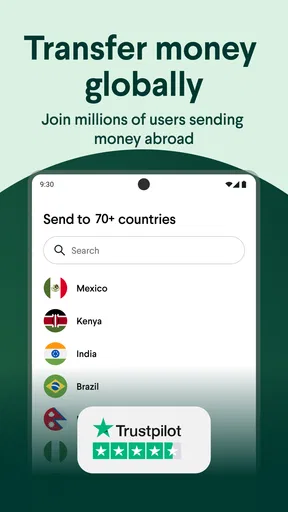
Once you've downloaded the app and signed up, you can start sending money right away. Just choose the recipient from your contacts, enter the amount, and hit send. It's really that simple! The app supports transfers to numerous countries, so whether you're sending money to family in Africa, Asia, or Latin America, they've got you covered.
Low Fees and Competitive Exchange Rates
Let's face it, nobody likes hidden fees. One of the standout features of Taptap Send is its transparent fee structure. I was relieved to find out that the app offers some of the lowest fees in the market, which means more money stays in your pocket and more gets to your loved ones.
On top of that, the app offers competitive exchange rates. You can check the rates within the app before making a transfer, which is a nice touch. Knowing you're getting a good deal makes the whole process feel a lot more satisfying.
Reliable and Fast
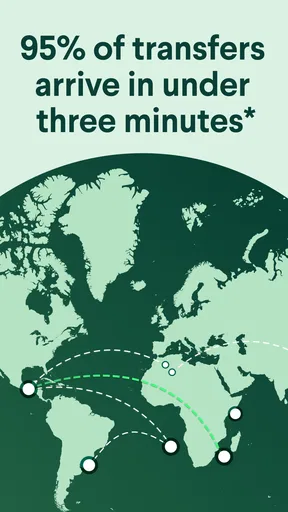
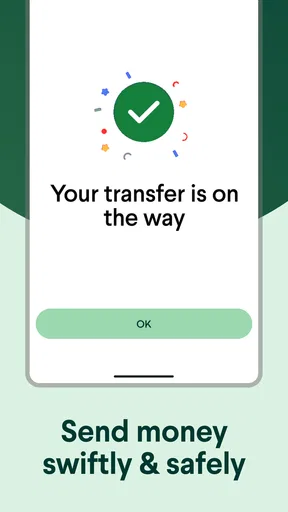
Speed is crucial when it comes to money transfers, especially if someone on the other end is waiting for the funds. Taptap Send delivers on this front, with most transfers completing in a matter of minutes. In my experience, I was impressed by how quickly the money arrived at its destination.
The app's reliability is backed by strong security measures. They use encryption to ensure your data and transactions are safe, which gives you peace of mind every time you hit send.
Customer Support That Cares
Good customer service can make or break an app experience, and thankfully, Taptap Send shines here too. I had a minor hiccup with a transfer and decided to test out their support. To my delight, they responded promptly and were genuinely helpful. It's reassuring to know there's a team ready to assist if anything goes awry.
If you're ever in need of assistance, you can reach out through the app, and they'll guide you through any issues. It's this level of care that makes the app feel trustworthy.
Final Thoughts
In a world where sending money abroad can often feel like a daunting task, Taptap Send simplifies the process significantly. With its user-friendly interface, low fees, competitive rates, and reliable service, it's hard not to appreciate what this app offers.
Whether you're supporting family overseas or helping out a friend, Taptap Send gives you the power to do so without unnecessary stress. So why wait? Give it a try and see how it transforms your money transfer experience.
Pros
- Fast and reliable money transfers.
- User-friendly interface for easy navigation.
- Low fees compared to competitors.
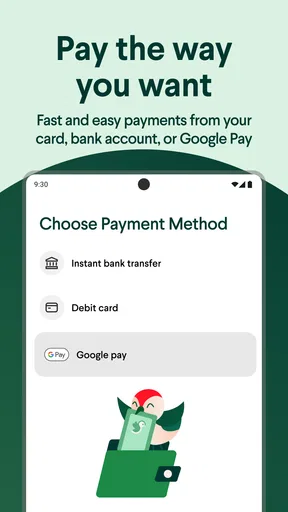
- Multiple payment options available.
- Strong security measures in place.
Cons
- Limited countries for sending money.
- Requires internet for transactions.
- No option for cash pickups.
- Exchange rates may vary slightly.
- Customer support availability varies.
FAQs for Taptap Send: Money Transfer
What is Taptap Send and how does it work?
Taptap Send is a user-friendly app designed for fast and secure international money transfers. It allows users to send money instantly to friends and family abroad directly from their smartphones. The app integrates with local financial systems, ensuring that recipients receive funds directly into their bank accounts or mobile wallets, often within minutes.
Is Taptap Send safe to use for money transfers?
Yes, Taptap Send is designed with security as a top priority. The app uses advanced encryption and security protocols to protect your financial information. Additionally, it is regulated by financial authorities in the countries it operates, ensuring compliance with international banking standards for safe transactions.
What fees are associated with using Taptap Send?
Taptap Send prides itself on transparency and low fees. While fees can vary depending on the transfer destination and amount, the app provides a detailed summary of any costs involved before you finalize a transaction. This ensures that you are always aware of what you’re paying and can compare it to other services.
Which countries can I send money to using Taptap Send?
Taptap Send supports money transfers to a wide range of countries across Africa, Asia, and Latin America. The app is continually expanding its reach, so it's best to check the latest list of supported countries on their official website or within the app itself for the most up-to-date information.
How quickly will my recipient receive the money?
Transfers made through Taptap Send are typically completed within minutes, making it one of the fastest options available. However, the exact time may vary based on the recipient's country and local banking processes. Users receive notifications once the transfer is complete, providing peace of mind and confirmation.


